Best Mighty+ and Crafty+ Temperature Settings
Both the Mighty+ and Crafty+ start at a base temperature of 180 °C. A double click of the power button adds a booster, and a triple click adds a superbooster. The Mighty+ lets you set the base anywhere from 40 to 210 °C with the plus and minus buttons, while the Crafty+ uses fixed 180, 195 and 210 °C steps unless you adjust it in the optional Web App. For most dry herb, starting at 180 °C is a sensible default: go lower for lighter, more flavorful vapor and higher for denser vapor.
This guide covers settings only. For loading and first use, see How to Use the Mighty+ and Crafty+; for general temperature advice across devices, read Finding the Right Temperature for Flavor and Efficiency. More guides are in the Storz & Bickel hub.
- The three preset levels
- Mighty+ temperature control
- Crafty+ temperature control
- Where to start
- Examples from the manual
- What changes the real vapor temperature
- Quick answers

1. The Three Preset Levels
| Level | How to activate | Mighty+ | Crafty+ |
|---|---|---|---|
| Base | Automatic when switched on | 180 °C by default | 180 °C |
| Booster | Double-click the orange ON/OFF button | Base +15 °C (195 °C by default) | 195 °C |
| Superbooster | Triple-click the button | Base +30 °C (210 °C by default) | 210 °C |
Storz & Bickel's support pages say that on the Mighty+ the temperature returns to the base after 90 seconds in booster or superbooster. The Mighty+ display blinks slowly in booster and quickly in superbooster. The Crafty+ page also notes that when the booster is active, a double click moves to the superbooster.
2. Mighty+ Temperature Control
- Range: 40 to 210 °C (104 to 410 °F).
- Adjusting: press + or - for 1° steps, or hold a button to move faster.
- Units: Storz & Bickel's support page says to press and hold + or - for about 3 seconds to switch between °C and °F, while the Mighty+ instructions for use say to press + and - together. If one does not work, try the other.
- Heat-up: about 60 to 70 seconds. The display shows the current and target temperature, and a double vibration confirms the set temperature has been reached.
- Reset: the manual says holding the ON/OFF button for about 10 seconds resets the temperatures. A support page gives a shorter hold in some places, so check your device's manual if it does not respond.
The Mighty+ is the easiest of the two to tune because you can see the numbers. Change the base in 5 °C steps until you find a level you like, and use the booster only when you want a short lift. It is not necessary to use the Web App for any of this, though Storz & Bickel's own descriptions of Web App support on the Mighty+ vary, so ask their support if you plan to rely on it.
3. Crafty+ Temperature Control
The Crafty+ has one button, so it comes with three factory levels: base 180 °C, booster 195 °C and superbooster 210 °C. Heat-up takes about 60 seconds. You can customize it in the optional Web App, which allows a precise setting between 40 and 210 °C. Storz & Bickel notes that on the Crafty+ the booster and superbooster cannot be set individually, but a common offset, such as +10 °C, can be applied to both. App settings are saved on the device and stay until they are reset by holding the power button for about 5 seconds. Our Crafty+ lights and app guide explains connecting the Web App.
The Crafty+ has been discontinued by Storz & Bickel according to retailers, though some stock remains on our Crafty+ page.
4. Where to Start
- Begin at 180 °C, the factory base, and take a couple of slow draws.
- If it tastes thin or shows little vapor, step up in 5 °C increments on the Mighty+, or use the booster on either device.
- If it feels harsh or tastes toasty, drop the base by 5 to 10 °C.
- Keep notes. Different dry herbs behave differently, so write down what works for each.
Lower temperatures bring out more of the subtle aroma and are gentler on the battery. Higher ones give thicker vapor and use the battery faster. These are general rules rather than device guarantees, so let taste decide.
5. Examples From the Manual
Storz & Bickel's instruction manual lists temperature settings for a few aromatic herbs used in aromatherapy. They are a useful reference for how wide the sensible range is:
| Herb | Part used | Setting in the manual |
|---|---|---|
| Eucalyptus | Leaves | 130 °C |
| Lavender | Blossoms | 130 °C |
| Lemon balm | Leaves | 142 °C |
| Hops | Cones | 154 °C |
| Chamomile | Blossoms | 190 °C |
| Sage | Leaves | 190 °C |
| Thyme | Herb | 190 °C |
The point is not to copy a number, but to see that some botanicals are listed well below the 180 °C default. On a Mighty+ you can set these directly, and on a Crafty+ you would use the Web App.
6. What Changes the Real Vapor Temperature
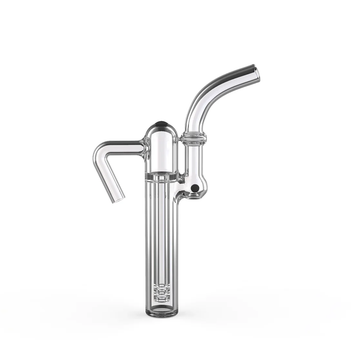
Storz & Bickel says the actual inhalation temperature varies with the temperature setting, how full the chamber is, and the intensity and length of your draw. The cooling unit helps bring vapor down to a comfortable level. Room temperature also matters: the devices are intended for use between 5 and 35 °C, and the heat-up time depends on battery charge and ambient temperature. A cool, well-charged device will behave differently from one on its last bars. For battery tips, see our Mighty+ and Crafty+ battery guide. If you want to change the feel without changing the setting, a short glass mouthpiece shortens the path, and the Mighty accessories collection has more parts.
7. Quick Answers
Does the booster stay on? No. On the Mighty+ it ends 90 seconds after it is reached and the device falls back to the base, so use it as a short lift rather than a setting.
Can I see the temperature on a Crafty+? Not on the device. It has an LED and one button, and the Web App is the way to see and change numbers.
Why does my device take longer to heat on a cold day? Storz & Bickel says the heating time varies with battery charge and ambient temperature. Keep it in the 5 to 35 °C range it is designed for and charge it fully before long sessions.
Do I need the Web App? No. Storz & Bickel says its devices work fully without the app, using the factory settings, and the app is only for individual customization.
How do I get back to factory settings? On the Crafty+, hold the power button for about 5 seconds. On the Mighty+, the manual describes a longer hold of the ON/OFF button to reset temperatures.
Final Thoughts
The best Mighty+ or Crafty+ setting is the lowest one that still gives you the vapor you want. Start at 180 °C, adjust in small steps, use the booster as a short lift and let the Mighty+ display or the Crafty+ Web App help you find your own base.