Crafty Vaporizer Screen Problems and How to Fix Them
Share
Crafty screen problems usually announce themselves the same way: the draw tightens, flavor flattens, or you open the cooling unit and find a furry disc where a clean mesh used to be. The good news is that most Crafty (+) airflow complaints are screen- and cleanliness-related, not a dying heater. Treat this as a repair manual for the path, not a reason to replace the whole device.
This is a troubleshooting article. If you need help choosing coarse versus normal mesh, use the chooser guide. If you need a shopping checklist for replacements, use the replacement-screens post. Here we diagnose symptoms and walk fixes in order so you get back to open airflow without guessing — and without stripping useful words like strain, terpene, or dosing capsule from the advice.
Symptom → likely cause
- Sudden tight draw: clogged or wet screen; packed fines; CU needs cleaning
- Plant matter in the cooling unit: screen missing, torn, or too coarse for a dusty grind
- Uneven vapor / hot spots in flavor: air channeling around a warped or poorly seated screen
- Whistle or rattle: screen not seated; damaged rim; debris under the mesh
- Muted terpene character after a few days: screen film + CU residue, not “dead strain”
- Device feels weaker but battery is fine: restricted path starving the bowl of air
- Harsh vapor only late in the session: partially blocked screen plus rising temperature compounding heat
Fix path (do these in order)
- Power down and cool. Do not dig in a hot Crafty.
- Remove the cooling unit per S&B’s normal routine and inspect the screen face under good light.
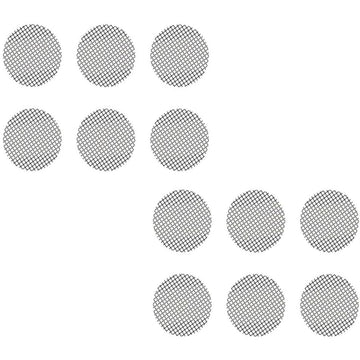
- Replace the screen if it is dark, torn, bent, or furred. Do not spend twenty minutes scraping a mesh you can swap in seconds.
- Clean the cooling unit if residue remains on faces after the screen is out — isopropyl carefully on compatible parts, then dry fully.
- Check your grind. Dusty powder defeats screens. Medium grind or a dosing capsule often ends repeat clogs.
- Reseat everything until the CU locks as designed; a half-seated unit mimics screen failure.
- Test at a moderate temperature with a light load before returning to your usual high setting.
- Re-evaluate mesh only after hygiene is honest — coarse vs normal is a tune, not a first aid kit.
Coarse vs normal while troubleshooting
If the CU fills with fines, go finer mesh or improve containment (capsule / coarser grind). If the draw is choked with a clean normal screen and a medium grind, try coarse. Keep coarse screen sets for Crafty/Mighty/Venty on hand so the experiment does not require a shopping break mid-week.
Remember: mesh choice is a tuning tool. It will not restore a cooling unit that has not been cleaned in months. Fix hygiene first, then tune. Medical-grade temperature accuracy cannot overcome a path that barely breathes.
Dosing capsules as a problem-solver
Capsules will not fix a filthy CU, but they reduce how much loose material reaches the screen. If you travel, microdose, or hate dumping ovens, capsules plus a sensible CU screen are a stable Crafty setup. Still inspect the screen — capsules slow messes; they do not grant immunity. Many owners find capsule + coarse CU screen is the least dramatic weekly routine.
When the screen is not the villain
- Battery/performance issues with a clean open draw → look beyond screens
- Harsh vapor with a brand-new screen → temperature, material moisture, or mouthpiece path
- Weak clouds with open airflow → load size, grind, technique, or temperature stepping
- Error lights or charge problems → not a screen article anymore
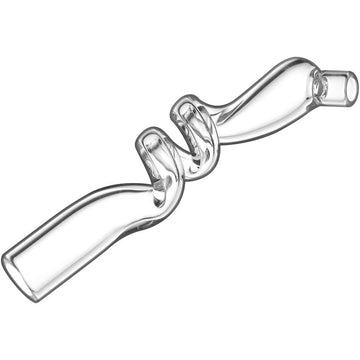
Add cooling glass if comfort is the real complaint after airflow is restored: Long-Draw, Vortex spiral, or dimpled Long-Draw. Screens protect the CU; glass manages heat at the lips.
Prevention habits that cut repeat visits
- Spare screens in the case
- Weekly visual check under good light
- Avoid overpacking the oven into a compressed puck
- Clean CU on a slower cadence than screens, but do not skip it
- After sticky high-temp sessions, inspect sooner
- Do not run precision hardware with a screen that looks like carpet
Quick field kit
In a small tin: two spare screens, a dosing capsule or two, a brush, and alcohol wipes safe for the parts you actually wipe. That kit solves most “Crafty feels off” evenings without ending the night early. Potency and flavor both feel better when air can move through a clean mesh.
How this post stays distinct
Chooser = which mesh to buy. Replacement buy guide = what “good” screens look like in a cart. This page = my Crafty already feels wrong — fix it. Keep those intents separate so search results and internal links help instead of cannibalizing each other.
Bottom line
Most Crafty screen problems are clogged, warped, or poorly paired mesh — fixed with a fresh screen, a clean cooling unit, and a grind or dosing capsule that matches the mesh. Work the symptom list in order, keep coarse and normal options available, and only escalate to deeper device troubleshooting once airflow is honestly open again.
Draw resistance tip
If the Crafty feels choked after a clean, try a coarse screen first — fine mesh packs with residue faster and raises draw resistance. For a full coarse-vs-fine chooser (Mighty-focused, applies to Crafty too), see coarse vs fine screens for Mighty+.